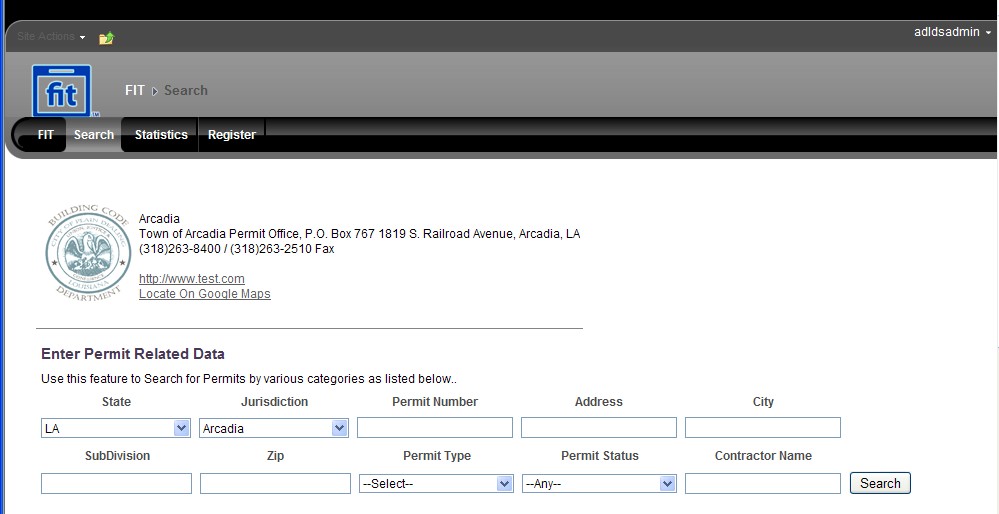
Search is used to search for the Permits by various categories. The Search Page is as follows:
To search permits do the following:
Select the State and Jurisdiction from the drop down lists.
Enter the permit number, address or city in the text boxes provided.
Click Search to search the required permits and the details will be listed in a grid below
Click the on the permit title in the grid to proceed to the Permit Preview page to view the permit details as shown below:
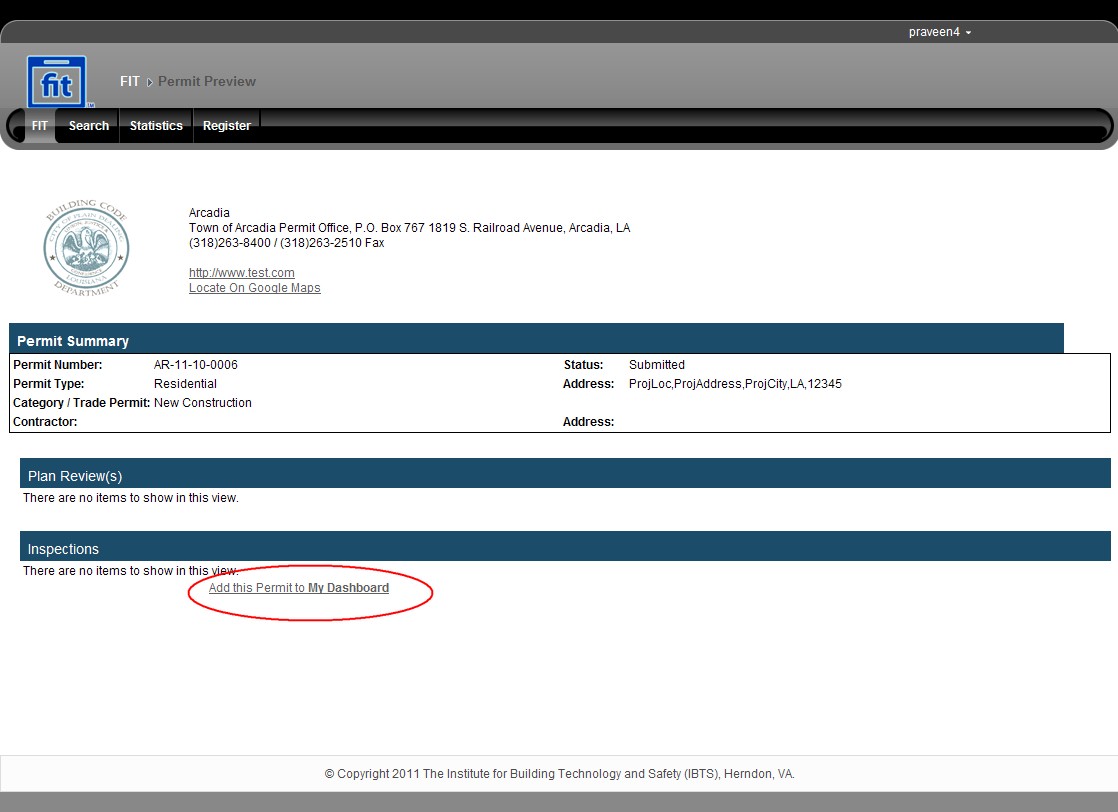
The user has the option to add this permit if required to his/her dashboard. Click Add this Permit to My Dashboard link to add the permit to the respective user's dashboard and a confirmation message appears.
Once the permit is added, this link changes to Remove this Permit from my Dashboard as shown below:
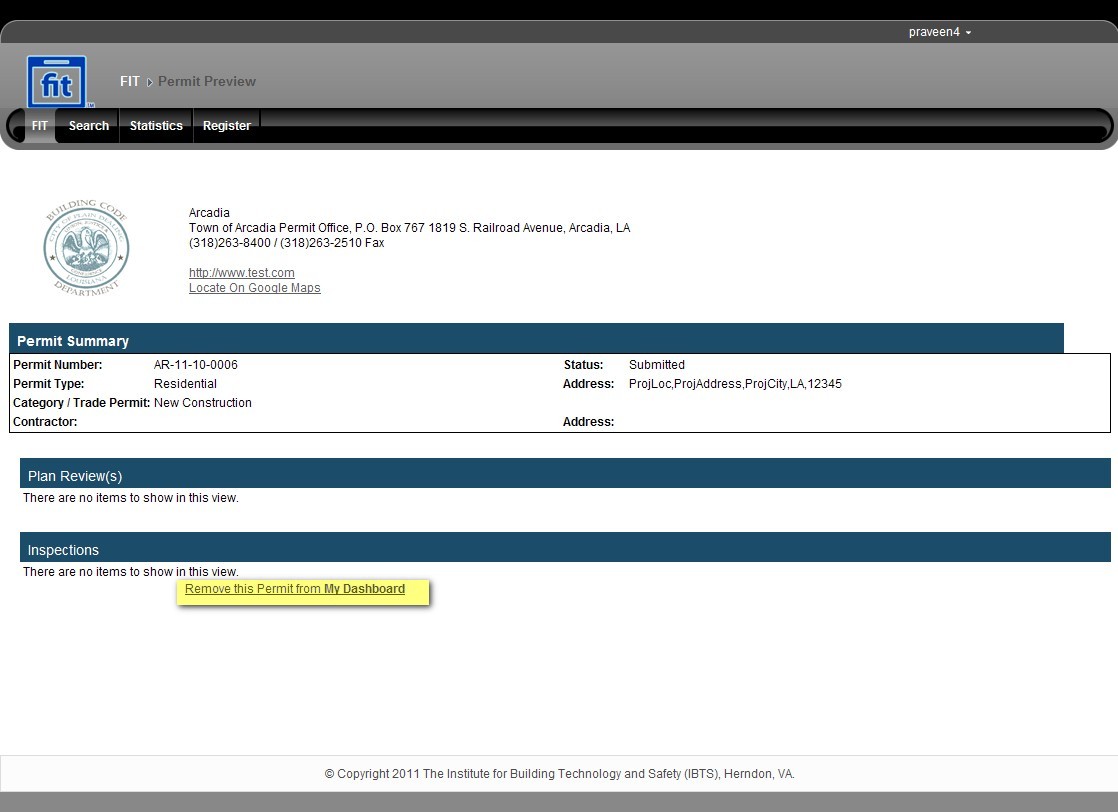
Click Remove this Permit from my Dashboard link to remove the permit.