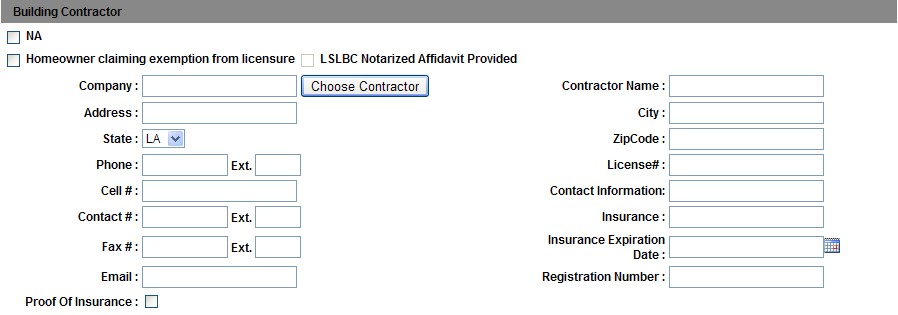
The NA checkbox is kept selected by default in this section. On selecting Homeowner claiming exemption from licensure a new form get loaded in the building contractor section as shown below:
To populate the contractor details do the following:
Click on the Choose Contractor button to open the Contractor pop up window as shown below:
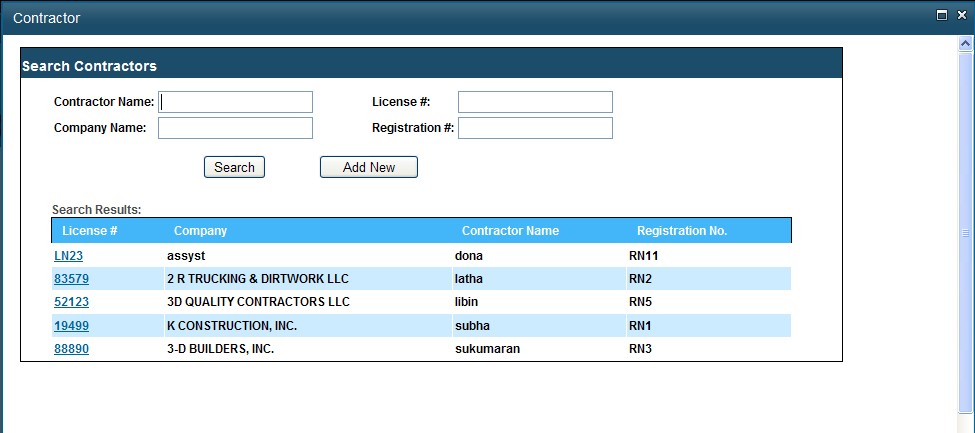
Click on the required license number to populate the contractor details in the Building Contractor section in the Permit Application page.
In this window, you can also search for another contractor by entering the search criteria in the text boxes provided and then click on the Search button to display the results in the grid.
Add New Contractor
Only System Administrator, BDS Administrator, BDS Technician, and ADLDS Administrator has the right to add a new contractor.
To add a new contractor, do the following:
Click on the Choose Contractor button to open the Contractor pop up window as shown below:
Click on the Add New button to go to the Add New Contractor page as shown below:
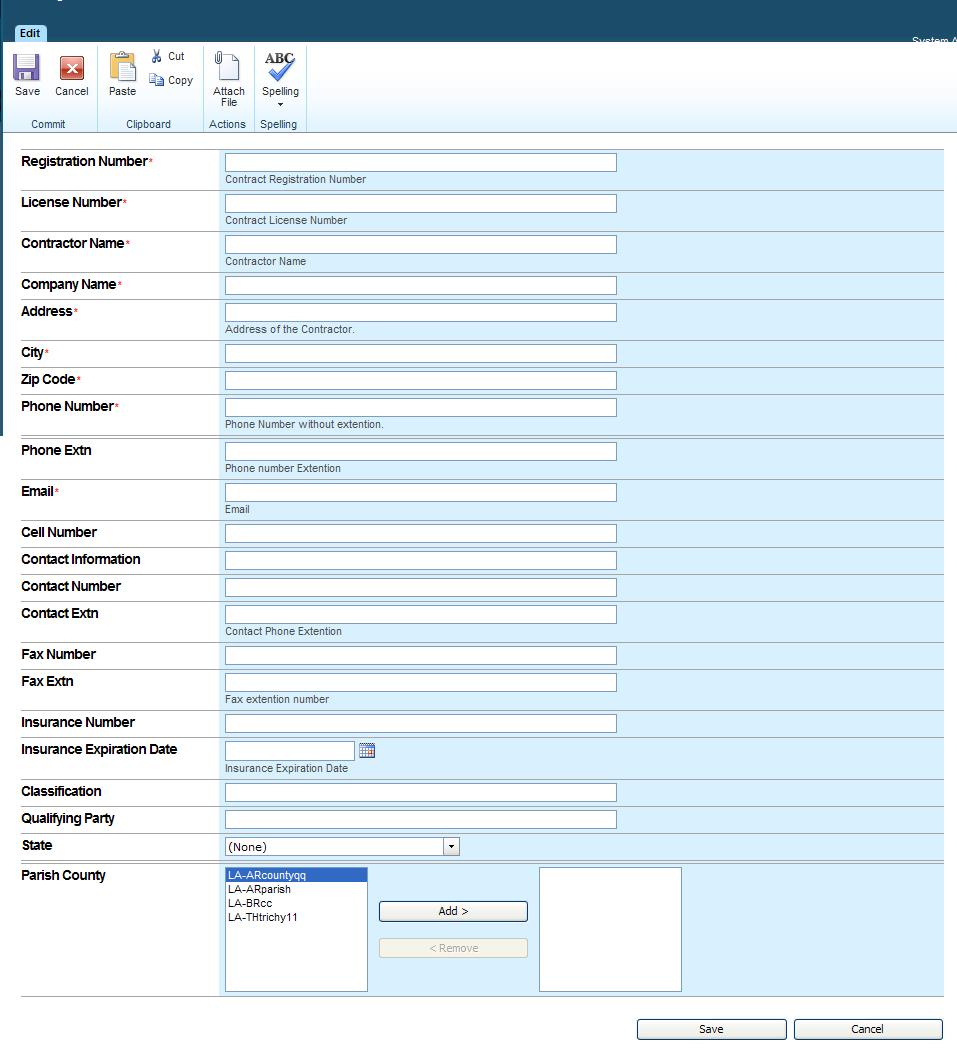
Enter the relevant details in the respective fields and then click Save to save the details or click Cancel.
Notes:
By default the NA checkbox is kept selected in Building Contractor section.
If "Homeowner claiming exemption from licensure" checkbox is selected, then “LSLBC Notarized Affidavit Provided” field is enabled.
Update the "Homeowner claiming exemption from licensure" field in the list, and use in reports to have the LSLBC Notarized affidavit work flow.
On submission, if the Insurance Expiration Date is less than current date, a warning message is displayed