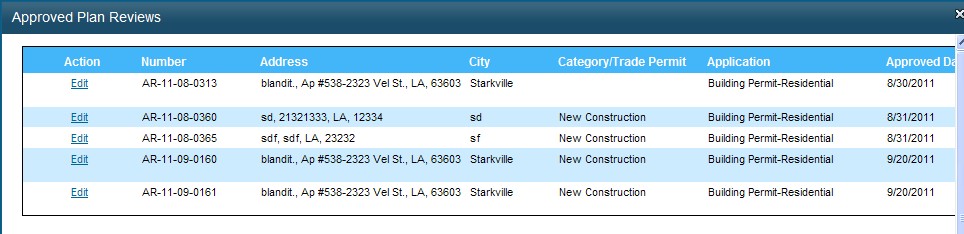
The Authorized Reviewer’s list contains a link for Approved Plan Reviews accessed from the Home Page under Permits. Click Approved Plan Reviews to go to Approved Plan Reviews page to edit the plans as shown below:
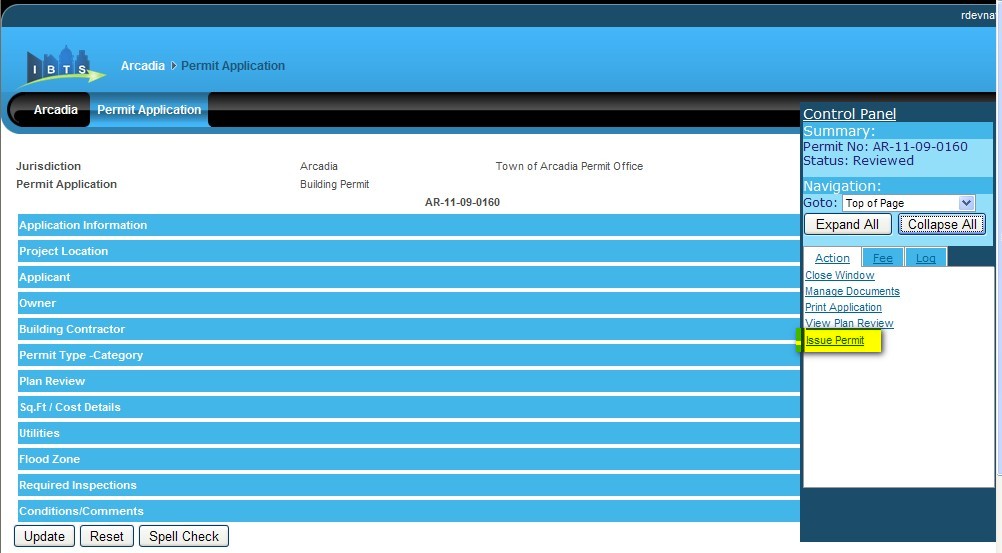
Click Edit link against a particular record to go to Edit Permit Application page. Click Issue Permit in the Control Panel and the status of the permit changes to Issued.
Note:
A permit can be issued by IBTS Jurisdiction Building Official only after data is entered in Flood Zone section.
If the Category selected is Manufactured Home, no plan review is required.
A Permit Issue can be issued only if the following conditions are met:
Permit does not have a pending Plan Review requirement.
Ensure Notarized Affidavit is provided if “Homeowner claiming exemption from licensure LSLBC” check box is selected.
A flood zone value must be selected
All due permit fee payment should be cleared before issuing the permit.